

How to verify a certificate
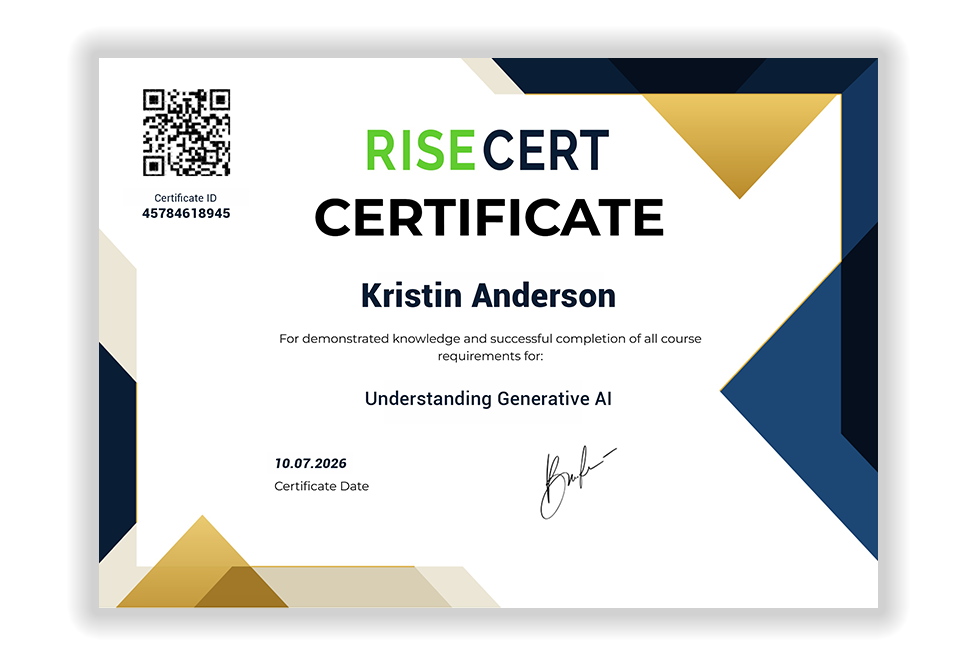
Every RiseCert certificate carries a unique Certificate ID and a QR code. Verification takes a few seconds and needs no account.
1
Find the Certificate ID
It is the number printed under the QR code in the top-left corner of the certificate. Holders can also open the certificate from their RiseCert account and read it there.
2
Enter it above
Type the digits exactly as printed, with no spaces, then select Check Code.
3
Read the result
A valid ID confirms the certificate was issued by RiseCert. If you see "Enter valid code", re-check the digits or ask the holder for the certificate PDF.
What it means
What a RiseCert certificate attests
A certificate is issued for one course at a time, so you know exactly what the holder studied and when.
A completed course
The named holder finished every lesson in the course and passed the knowledge checks that follow them. Certificates are issued per course, not per lesson or bundle.
Which course, at which level
The course title on the certificate belongs to one of five AI tracks, from Foundations to Leadership, or to an industry track. Open the track to see what the course covers.
See the AI tracks →Issued by RiseCert
Each certificate shows the holder's name, the course, the issue date, a unique Certificate ID and a QR code. It is issued by RiseCert LLC when the course is completed, and this page checks the ID against our records.

For employers, recruiters and compliance teams
Three checks, under a minute
When a candidate or employee shares a RiseCert certificate, confirm these before you rely on it:
Name. The name on the certificate matches the person who shared it.
Course and date. The course title and issue date match what they told you, and the course is relevant to the role.
Certificate ID. The ID validates on this page. A screenshot alone is not proof; ask for the ID or the PDF.
Teams
Need proof for a whole team?
RiseCert for Teams keeps your whole team current on AI and ready when someone asks for proof, with a Requirements Map for policy and insurance questionnaires and a sample evidence pack you can review before you buy.
Common questions
I only have a screenshot or a LinkedIn post.
Ask the holder for the Certificate ID or the certificate PDF. The ID is printed on every certificate, and holders can download their certificate from their RiseCert account at any time.
The ID looks right, but the checker says "Enter valid code".
Re-type the digits without spaces and make sure you are using the Certificate ID, not an order or receipt number. If it still fails, contact us with the ID and the course name and we will check it by hand.
I think a certificate has been altered or forged.
Contact us with a copy of the certificate and where you received it. We investigate every report.